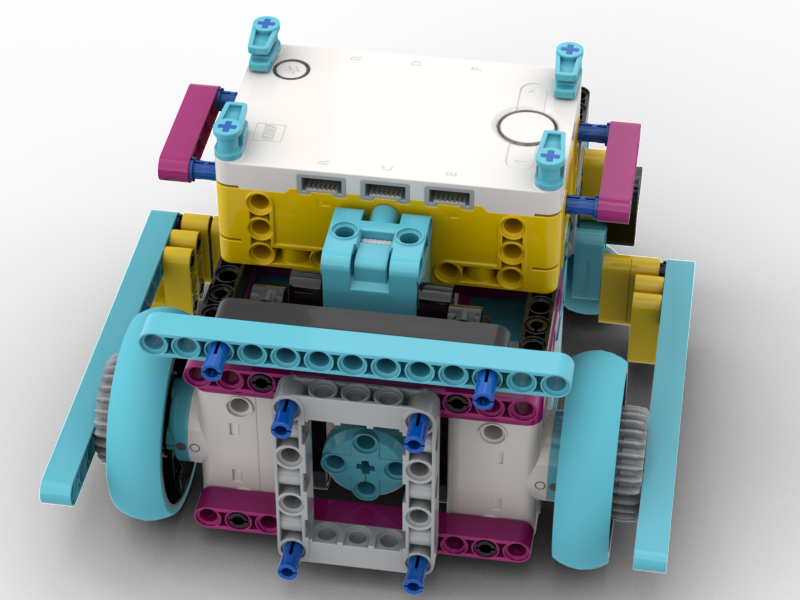
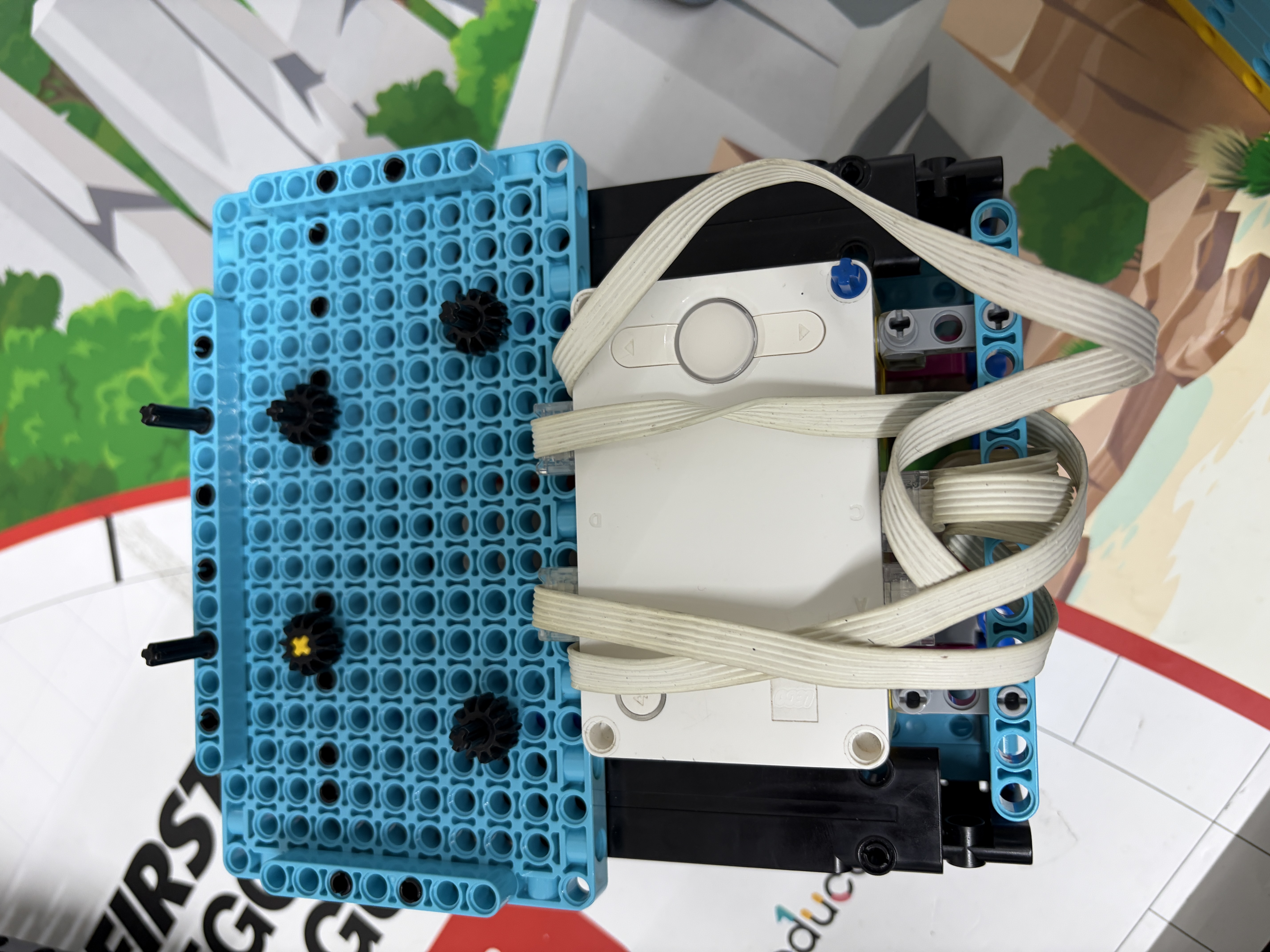
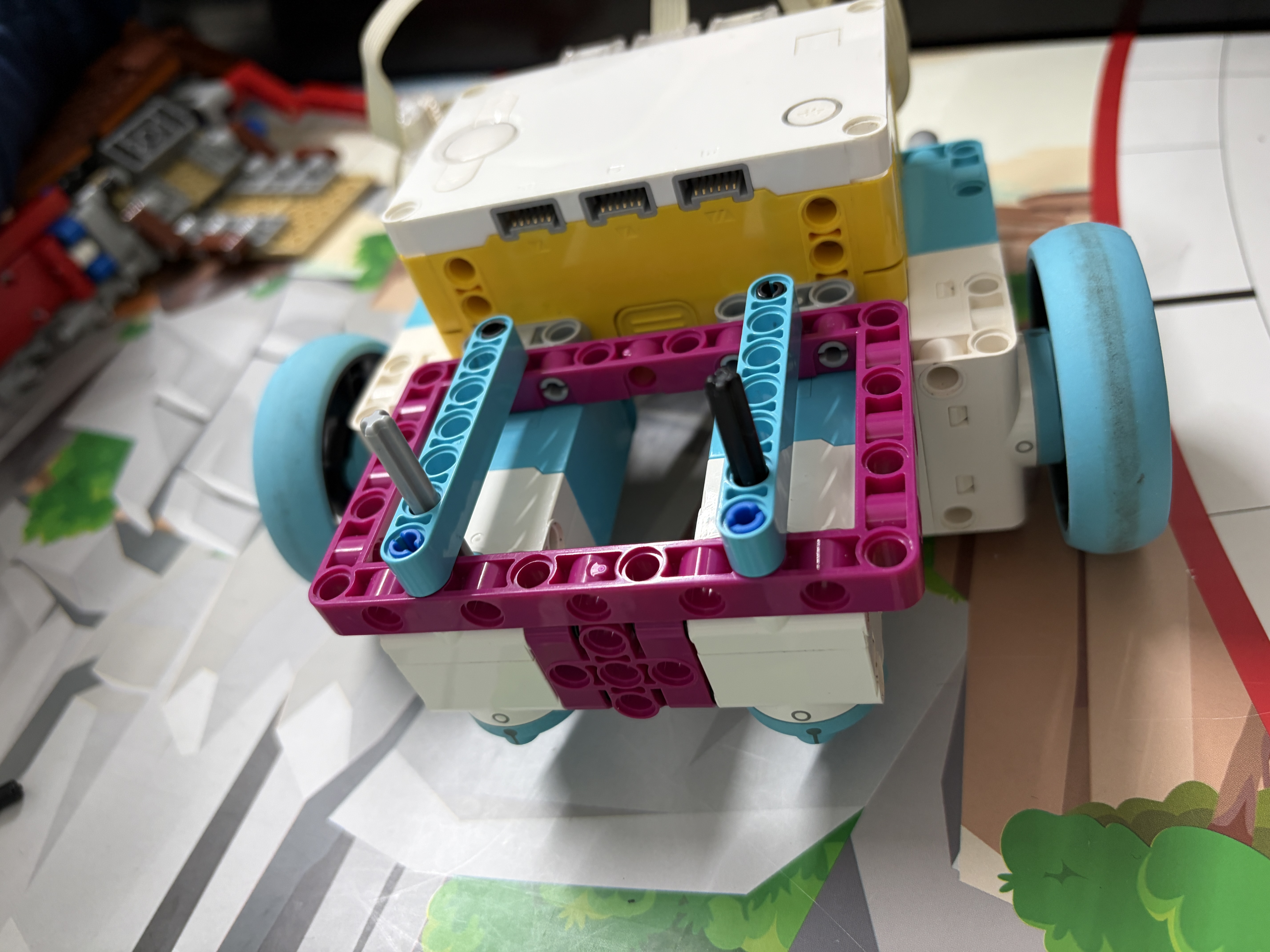
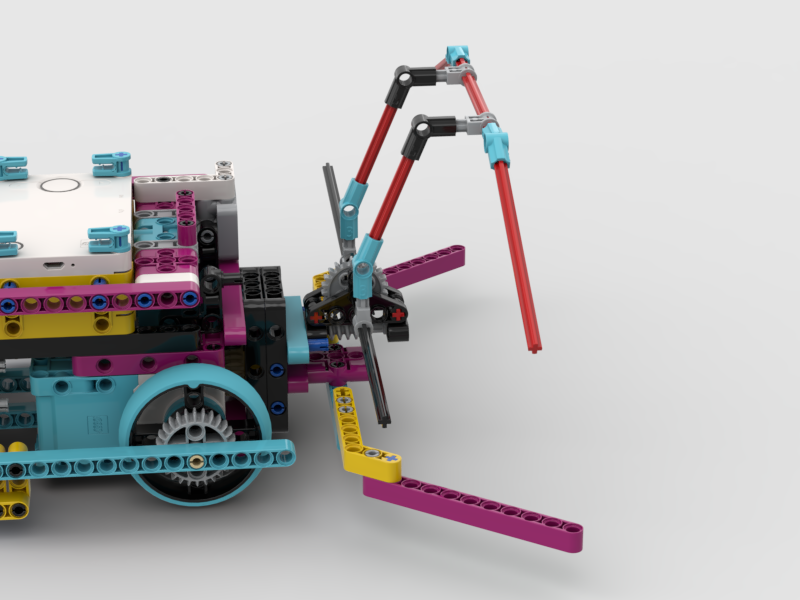
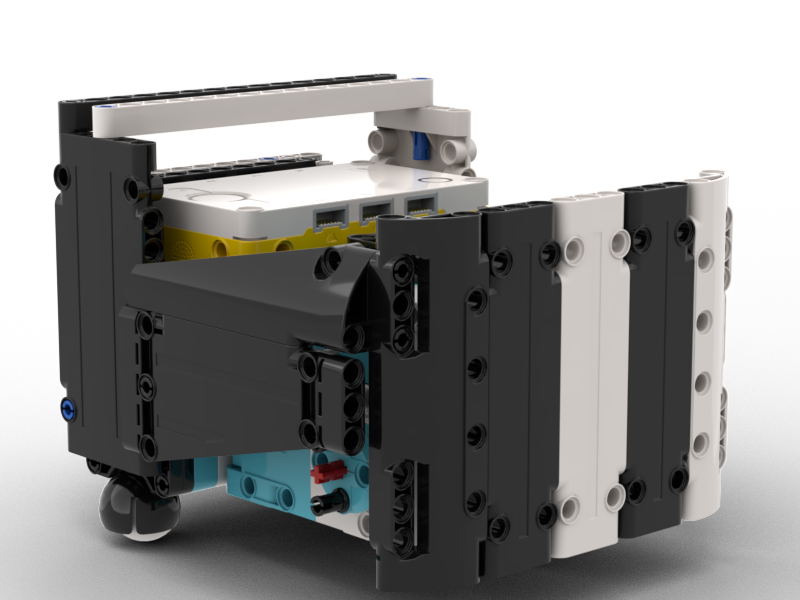
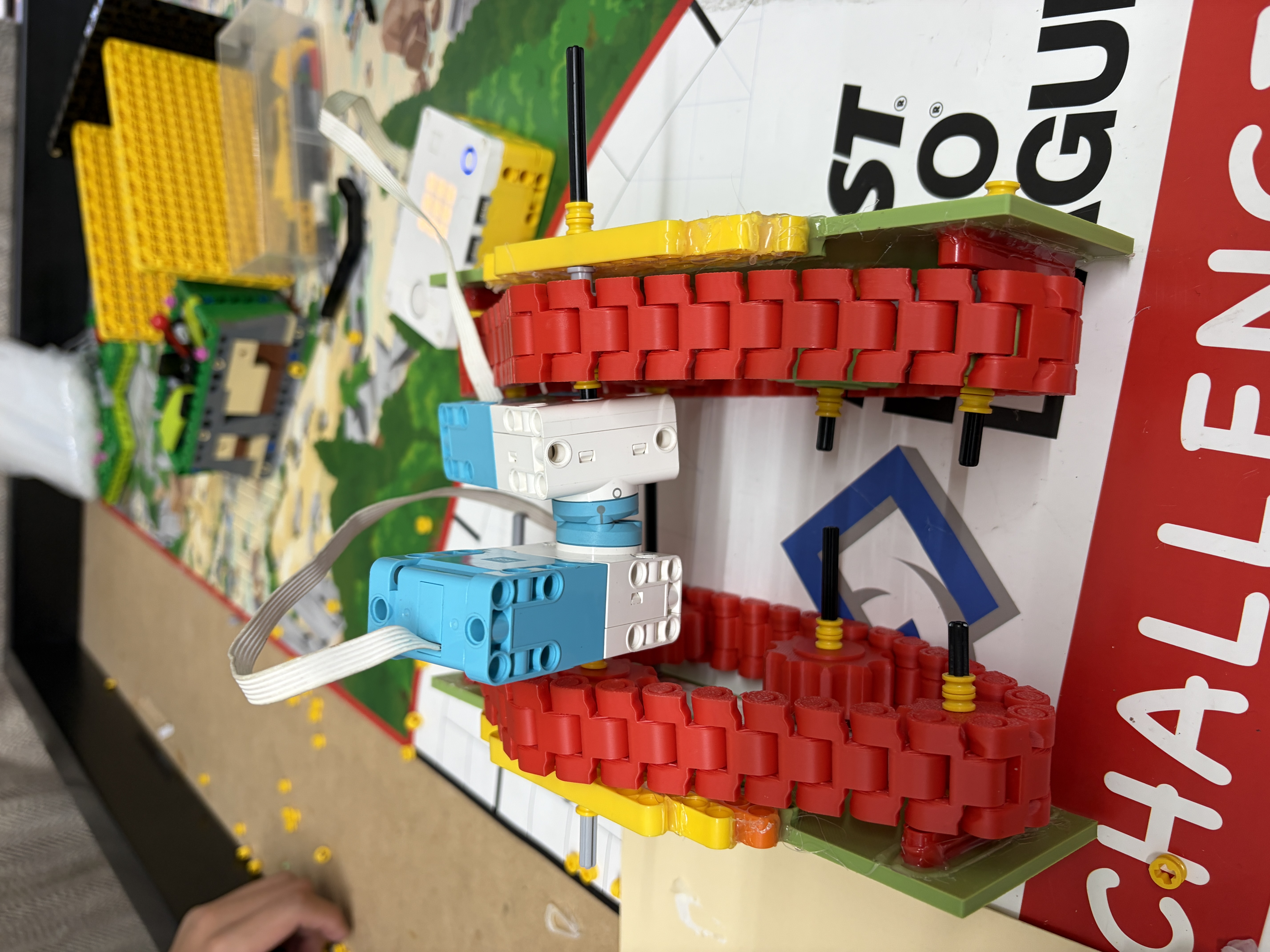
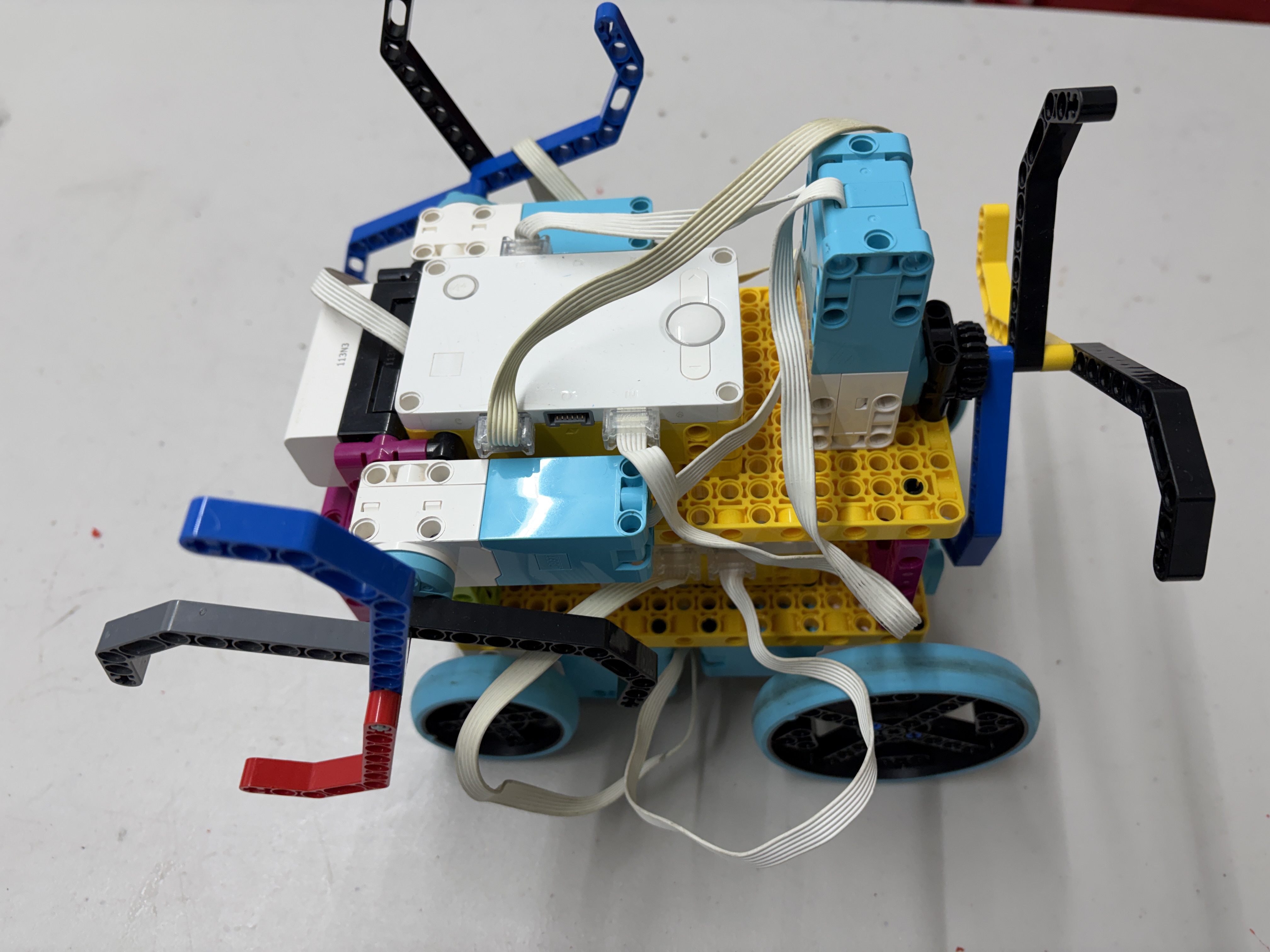
This page explains how we evolved our robot hardware, built a mission strategy, and refined programming so our robot
performs predictably under competition conditions.
Definitions used throughout this page
Consistency = the robot repeats the same action the same way across many trials (different speeds, distances, battery levels). Reliability = the robot completes intended tasks successfully without frequent failures or “surprise behavior.”
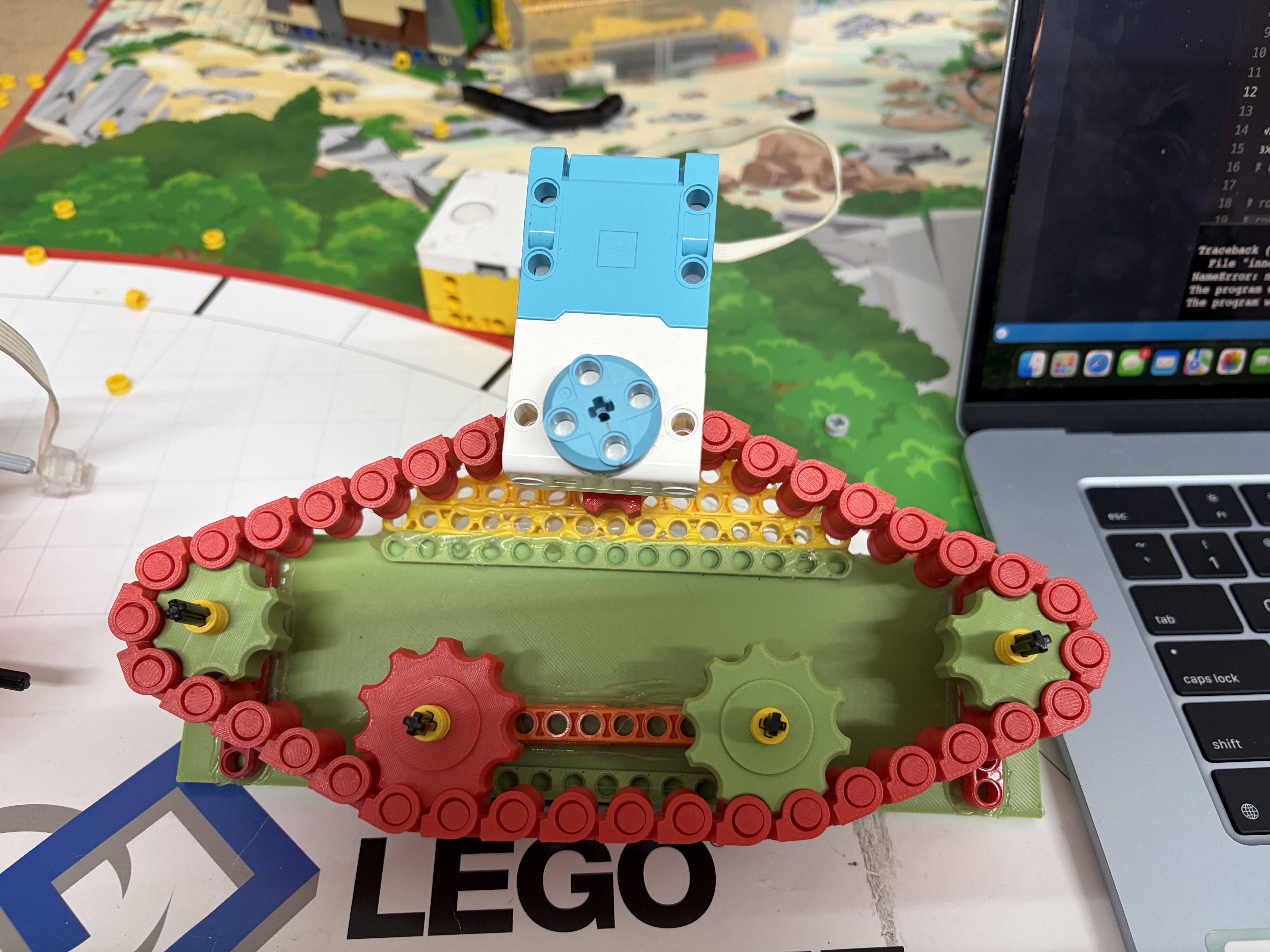
Previous layout had mismatched motor heights and loose front plates. Moving both motors front and using a pinless system
reduced mechanical drift, cut reset time, and made testing iterations faster.
Anthony — Strategy & Run Bundles
Runs built for efficiency — show, not tell
Group missions by action + proximity. Each run card below shows quick metrics: missions, est. time, risk, points, and attachment.
Run AEst: ~22s
M1M2M9
Pts: 28Risk: LowAttach: Dual-arm
Run BEst: ~35s
M5M4
Pts: 34Risk: MediumAttach: Pinless scoop
Run CEst: ~18s
M3M12
Pts: 22Risk: LowAttach: Lift arm
Run DEst: ~40s
M8M15
Pts: 40Risk: HighAttach: Long reach
Run EEst: ~28s
M14M13
Pts: 30Risk: MediumAttach: Grab + tilt
Quick rules we used
Prefer low travel combosAvoid >2 high-risk actions in one runKeep attachment swaps ≤15s
Mission Analysis & Sorting System
Before designing our robot and planning runs, we categorized all 15 missions by action type, difficulty, and point value. This systematic analysis helped us identify natural groupings and prioritize which missions to attempt.
🔴 Push Missions
M2M5M6M8M10M11M12
7 missions require pushing objects or models
🔵 Pull Missions
M9M10M12
3 missions involve pulling mechanisms
🟡 Pick Up/Drop Off
M1M2M4M14M15
5 missions require precise object manipulation
🟢 Lift Missions
M3M7M13
3 missions need vertical lifting action
✅ Easy Missions
6 Missions
M2M5M6M12M13M14
High success rate, straightforward execution, great for building confidence
⚠️ Medium Missions
5 Missions
M1M7M9M10M15
Moderate complexity, requires careful programming and attachment design
🔥 Hard Missions
3 Missions
M4M8M11
High precision required, multiple failure points, advanced mechanisms needed
30
M1
10+10+10 pts
🏆 Total Available Points
490
Maximum score across all 15 missions
Julisa — Project Management (visual)
Photos • Schedule • Progress
Short notes + visual infographics to show how we organize and track runs.
Iteration & testing gallery
Top: quick visual record to speed inspection and decisions.
Practice calendar (weekly)90 min / wk
Weekly rhythm: practice → refine → review.
Run progress trackerGoal: reliable runs
Run A
85%
Run B
60%
Run C
40%
Run D
20%
Run E
52%
Green = testedYellow = needs tuningGray = early draft
How to use
Check photos for build issues, follow the weekly calendar, update the tracker after each session.
Brian — Pybricks (show, don't tell)
Faster loops • tighter control • sensor-first
Loop-rate gains Sensor fusion Repeatable outcomes
Loop rate → correction fidelity
Faster loops let the controller correct drift sooner.
Closed-loop diagram
Sensor → controller → motor loop
Mini Pybricks loop (short)
# Pybricks: simple loop (illustrative)
while True:
heading = gyro.angle()
error = target - heading
power = kp * error + kd * (error - last)
drive.dc(power, power) # set motor power
last = error
wait(10) # loop ≈100Hz
Visual: test snapshots
Larger thumbnails make details readable; replace with higher-res screenshots.
Show logs, not long proseUse screenshots + SVGsKeep code snippets short
Jonathan — Sensors (show, not tell)
Gyro + Encoders → predictable turns & distance
Minimal notes — visuals show heading correction and encoder tracking (we use only gyro + motor encoders).
Heading vs time — 3 trials
Heading correction converges to target across trials
Encoder distance repeatability
Encoder counts show tight distribution
Sensor fusion (runtime)
Gyro guides heading; encoders confirm distance
Hardware — sensors we use
Gyro / IMU (Prime hub)
Built-in motor encoders
Hub orientation & wiring
Stable mounting reduces drift
We use gyro + encoders only — document exact part/orientation here.
Presentation tips
Use same axes/scale for graphsReplace captions with one-line observationsPut raw logs in shared folder (link in Coop section)
Anthony — PID Tuning & Motion Control
We tuned Kp and Kd using data across speeds and distances.
After integrating sensor feedback, we refined control with simple PID-style corrections. We tested multiple Kp values at
different speeds and distances, and Kd values to reduce wobble and improve smoothness. We used these graphs to select
values that produced straight and stable motion.
Definition: PID (what we mean)
PID is a feedback method that compares a target to the current measurement and applies correction. Proportional reacts to
current error; derivative helps reduce oscillation/overshoot. :contentReference[oaicite:2]{index=2}
Kp SelectorClick a Kp value to update the straightness scatter plot
Lower heading error = straighter More trials = more confidence
Selected Kp: 1.2
The scatter plot shows heading error (degrees) across distances (1–4 rotations) and speeds (30–60%).
Replace the sample data with your real test logs when ready.
Kd SelectorClick a Kd value to update the smoothness scatter plot
Lower wobble = smoother D term helps “calm” motion
Selected Kd: 0.4
Julisa — Knowledge Sharing & Coopertition
We share designs and code so more teams improve together.
Our coach maintains a shared folder where 10 teams from Manhattan, Queens, and the Hudson Valley upload designs,
attachments, code, and videos. So far, 3 of the 4 Hudson Valley teams have qualified for the championships,
while the Manhattan and Queens teams are still competing.
We also share tutorials on YouTube, TikTok, and Instagram. Our YouTube channel has 74 subscribers and our TikTok has
772 followers. Many teams reach out for help or leave feedback, and our videos average over 1,000 views.
We plan to upload more tutorials to continue supporting the community.
Base robot iteration 2Last year robotFront motor viewRover assembledRover prototype (top)Rover left side
Social & shared resources
Quick access to our public channel and the student shared folder. Replace src/hrefs with your real links.
Replace FOLDER_ID with your folder id (or use another embed)
Student teams (placeholders)
Manhattan — Team AManhattan — Team BQueens — Team 1Queens — Team 2Queens — Team 3Hudson Valley — Team 1Hudson Valley — Team 2Hudson Valley — Team 3Hudson Valley — Team 4
Note: these are placeholders. Replace /assets/teams/* files with actual team photos or thumbnails from the shared folder.
Why this matters
Teaching others strengthens our own understanding and reflects the FIRST Core Value of Coopertition.
References
Sources cited on this page
Pybricks Prime Hub docs — heading angle (gyro-based orientation).
Link
Pybricks Motor docs — motor angle/rotation (encoder-based motion control).
Link
National Instruments — PID theory overview (P/I/D roles).
Link
PID controller reference (general definition and behavior).
Link